How to Create a Productive Home Office That Fits Your Work Style
Creating a productive home office that suits your work style is essential for maintaining focus, motivation, and comfort while working remotely. Whether you’re freelancing, running a home business, or simply working from home part-time, your workspace plays a critical role in your daily performance. In this post, we’ll explore practical tips and ideas to help you design a home office that’s both efficient and personally tailored.
Understand Your Work Style First
Before you start rearranging furniture or buying office equipment, take a moment to evaluate how you work best. Everyone’s approach is different, and your home office should support your habits and preferences.
Identify Your Peak Productivity Hours
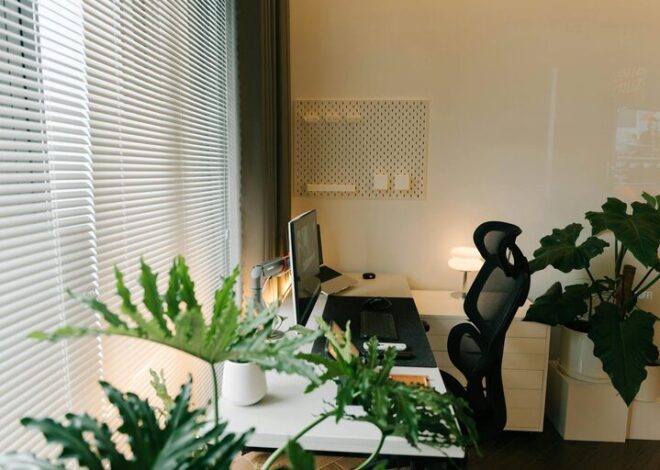
Do you work best in the morning, afternoon, or late at night? Arrange your workspace so that it aligns with your natural peaks in concentration — for example, positioning the desk near a bright window if mornings energize you.
Consider Your Work Tasks
What kind of work do you do? Writers might need plenty of quiet and minimal distractions. Designers may require extra space for tools or dual monitors. Knowing your key tasks helps determine the right setup.
Reflect on Your Comfort Needs
Comfort influences productivity. Think about your posture, lighting preferences, and noise level to create a space where you can focus without strain.
Choose the Right Location
Selecting the ideal spot in your home is the first step toward creating a productive office.
– Quiet and Private: Choose a room or corner away from high-traffic areas to minimize interruptions.
– Natural Light: Workspaces near windows provide natural light, which can improve mood and alertness.
– Ventilation: Good airflow helps maintain a fresh and comfortable environment.
– Connectivity: Ensure your chosen space has strong Wi-Fi or internet access.
If space is limited, consider portable solutions like a fold-out desk or noise-cancelling headphones to combat distractions.
Invest in Quality Furniture and Equipment
Your furniture and equipment directly impact your comfort and productivity.
Desk and Chair
– Ergonomic Chair: Supports your back and encourages good posture over long periods.
– Desk Size: Large enough to hold your computer, notes, and any other essentials without clutter.
– Adjustability: A sit-stand desk option allows you to change posture throughout the day.
Technology
– Reliable Computer and Accessories: Ensure your hardware meets your work requirements for efficiency.
– Monitor: Consider a second monitor if your tasks involve multitasking or detailed work.
– Keyboard and Mouse: Ergonomic options can reduce strain.
Storage Solutions
– Shelving, filing cabinets, or drawers help keep your space tidy.
– Use organizers to keep small items like pens and cables accessible but out of the way.
Create an Efficient Layout
How you arrange your workspace can streamline your workflow.
– Position frequently used items within arm’s reach.
– Place your computer monitor at eye level to reduce neck strain.
– Keep cables organized and out of the way to avoid distractions.
– Use vertical space for storage, leaving your desk surface clear.
Improve Lighting
Proper lighting reduces eye strain and enhances focus.
– Natural Light: Take advantage of windows but avoid glare on your screen.
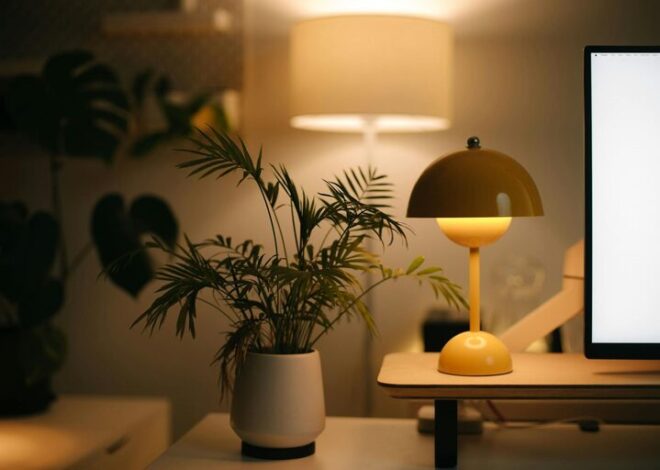
– Task Lighting: A desk lamp with adjustable brightness can help during late hours.
– Ambient Lighting: Soft overhead lights reduce contrast and make the room inviting.
Consider daylight bulbs to mimic natural light and create a comfortable atmosphere.
Minimize Distractions
While working from home comes with many potential interruptions, you can manage them effectively.
– Use noise-cancelling headphones or background music if your environment is noisy.
– Set clear boundaries with family or roommates during work hours.
– Keep your phone on silent or in another room to avoid unnecessary notifications.
Personalize Your Space
Your home office should feel inviting and inspiring without being cluttered.
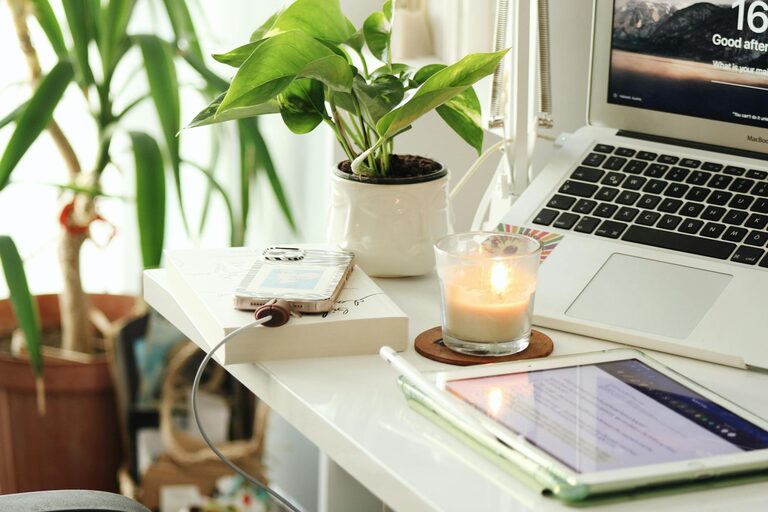
– Add artwork or plants to brighten the space and improve air quality.
– Use colors that energize you, such as blues for calm or yellows for creativity.
– Keep inspirational quotes or vision boards nearby to stay motivated.
Establish a Routine and Breaks
A productive workspace is just one part of staying focused.
– Set consistent work hours to separate professional and personal life.
– Take short breaks to stretch and rest your eyes.
– Use timers or apps to manage work and break intervals effectively.
Maintain Organization
A clean and organized workspace helps reduce stress and boosts efficiency.
– End each day by tidying your desk.
– Declutter regularly to keep unnecessary items out of your workspace.
– Implement filing systems for both paper and digital documents.
Final Thoughts
Designing a productive home office that fits your work style takes time and experimentation. By understanding your habits, investing in the right tools, and creating an environment tailored for focus and comfort, you can enhance your remote work experience dramatically. Remember, your workspace should evolve with you—don’t hesitate to make changes as your needs shift. Start small, stay consistent, and enjoy the benefits of a well-designed home office.